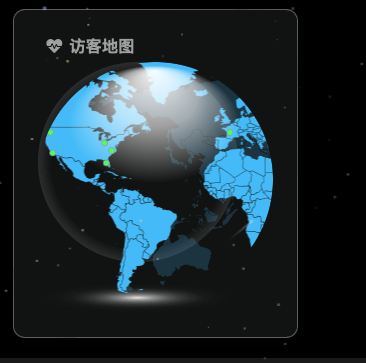
hexo添加访客地图
无需修改主题源码
获取访客地图的html代码
输入自己的域名
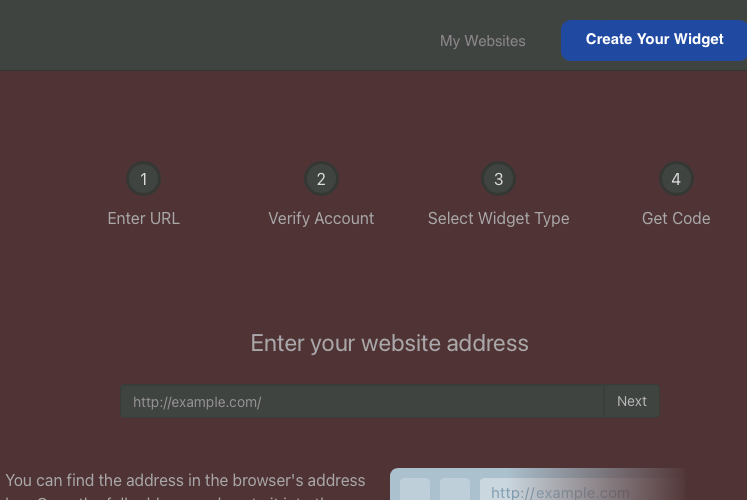
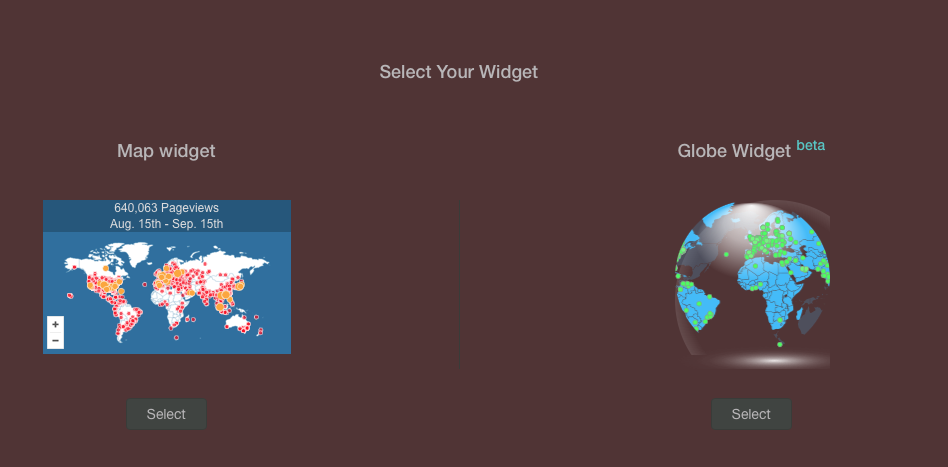
随便选择一种
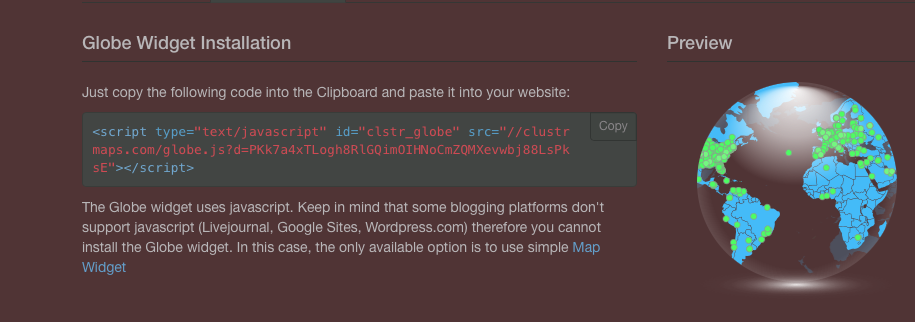
复制这一串代码
创建 widget.yml
在blogroot/source/_data/新建widget.yml文件
1 | bottom: |
运行hexo三连
本博客所有文章除特别声明外,均采用 CC BY-NC-SA 4.0 许可协议。转载请注明来源 Anyaerの部落格!
相关推荐

2024-09-10
博客新增待办清单页面
前言本来想用memos部署清单啊,说说或者什么动态相册的,但是最新版memos的api不能使用了,还是静态比较稳定吧! 修改文件在\themes\anzhiyu\layout\page.pug中新增以下内容 123456 when 'music' include includes/page/music.pug+ when 'todolist'+ include includes/page/todolist.pug default include includes/page/default-page.pug 新建文件新建pug文件 在\themes\anzhiyu\layout\includes\page\中新建文件todolist.pug并增加以下内容 1234567891011121314151617181920212223242526272829303132333435363738394041#todolist-box - let todo_backgroun...
2023-07-03
Hexo首页添加GitCalender提交日历
折腾了一个小时,要么不生效,要么就是报错,最后发现api失效了🥹 🎨安装 安装插件,在博客根目录打开终端运行 1npm install hexo-filter-gitcalendar --save 在站点配置文件_config.yml添加配置信息 1234567891011121314151617181920212223242526272829303132333435363738# hexo-filter-gitcalendar# see https://akilar.top/posts/1f9c68c9/gitcalendar: enable: true # 开关 priority: 5 #过滤器优先权 enable_page: / # 应用页面 # butterfly挂载容器 layout: # 挂载容器类型 type: id name: recent-posts index: 0 # volantis挂载容器 # layout: # type: class # name: l_main # index: 0 ...

2023-09-08
archives文章归档美化
添加CSS样式 颜色可改为自己喜欢的样式 12345678910111213141516171819202122232425262728293031323334353637383940414243444546474849505152535455565758596061626364656667686970717273747576777879808182838485868788899091929394959697989910010110210310410510610710810911011111211311411511611711811912012112212312412512612712812913013113213313413513613713813914014114214314414514614714814915015115215315415515615715815916016116216316416516616716816917017117217317417517617717817918018118218318418518618718818919019119219319419...

2025-03-05
anzhiyu主题启用顶部视频背景
修改源码覆盖 themes/anzhiyu/layout/includes/header/index.pug 123456789101112131415161718192021222324252627282930313233343536373839404142434445464748495051525354555657585960616263646566676869if !theme.disable_top_img && page.top_img !== false if is_post() - var top_img = page.top_img || page.cover || page.randomcover else if is_page() - var top_img = page.top_img || theme.default_top_img else if is_home() - var top_img = theme.index_img !== false ? theme.index_img || theme.defau...

2023-07-01
Hexo添加当前访客位置
📢不用修改主题内文件,方便以后升级 具体步骤 💥 更新原方法已失效 info 腾讯位置服务好像没有运营了,改用下面的新方法更好 JS在/source/js/custom.js原来的位置覆盖以下代码 123456789101112131415161718192021222324252627282930313233343536373839404142434445464748495051525354555657585960616263646566676869707172737475767778798081828384858687888990919293949596979899100101102103104105106107108109110111112113114115116117118119120121122123124125126127128129130131132133134135136137138139140141142143144145146147148149150151152153154155156157158159160161162163164165166...

2023-10-06
Hexo添加头像呼吸灯
直接在custom.css添加如下代码即可,颜色和时间可调 1234567891011121314151617181920212223242526272829/* 头像呼吸灯 */[data-theme="light"] .avatar-img { animation: huxi_light 4s ease-in-out infinite;}[data-theme="dark"] .avatar-img { animation: huxi_dark 4s ease-in-out infinite;}@keyframes huxi_light { 0% { box-shadow: 0px 0px 1px 1px #e9f5fa; } 50% { box-shadow: 0px 0px 5px 5px #e9f5fa; } 100% { box-shadow: 0px 0px 1px 1px #e9f5fa; ...